No bank feeds yet
You drop in the statement your bank gives you: PDF, CSV or OFX. Bank feeds are on the way. Kelpie never asks for bank logins.
Bookkeeping, with Kelpie
Invoices, bills, bank reconciliation, payroll and reports, in one place. Kelpie reads, matches, drafts and checks. You review and approve.
Kelpie prepares. You review and approve.
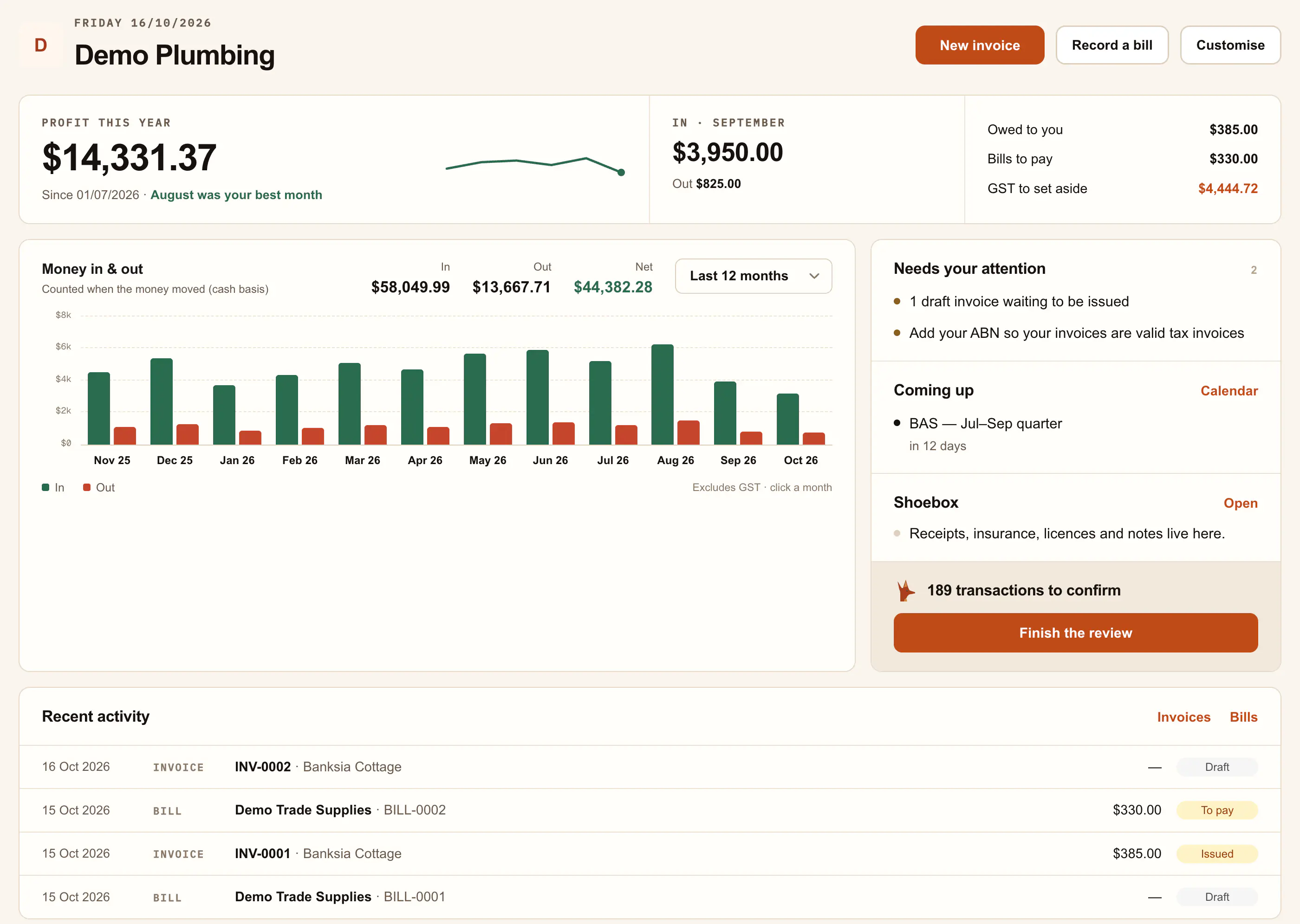
Invoices & quotes · Bills & suppliers · Reconciliation · Payroll · GST & BAS · Reports
Reads your inbox. Prepares drafts. Matches payments. Flags changes. Reports back.
Explore the toolkit
Choose a feature. See the screen and what Kelpie handles.
Both plans
From a quote to an invoice in a few clicks. Send your own design, track what’s owed and switch on overdue reminders when you need them.
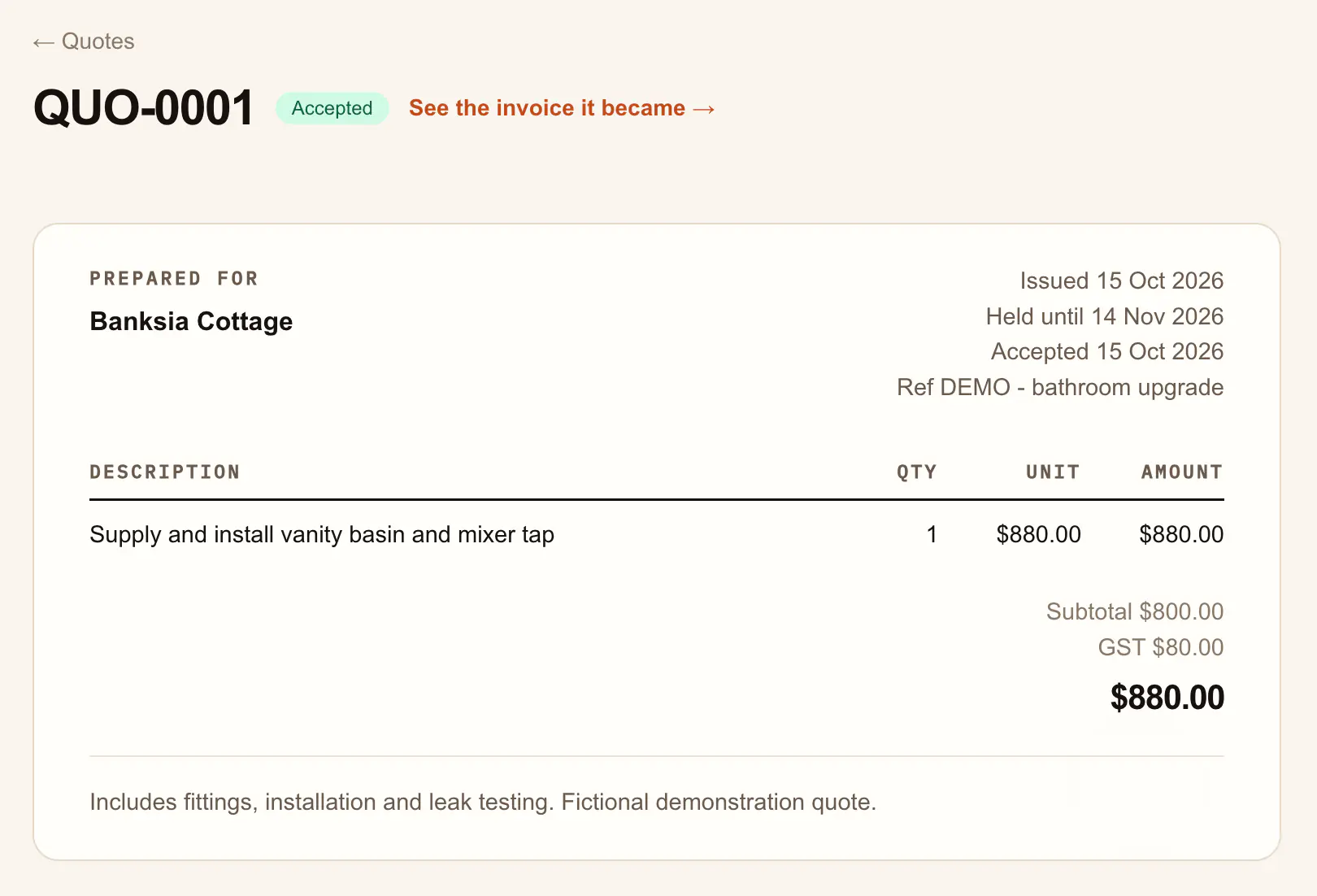
Support invoices and progress notes show once you turn on support work in Settings. They’re always on with Kelpie Support.
You drop in the statement your bank gives you: PDF, CSV or OFX. Bank feeds are on the way. Kelpie never asks for bank logins.
Kelpie works out your BAS figures for you, or your agent, to lodge. You report each pay through your own STP product, from the figures Kelpie gives you. Their year-to-date totals count only pays run in Kelpie, so anything you paid another way earlier in the financial year isn’t in them. Nothing goes to the ATO from Kelpie.
Supplier and wages payments are files you upload and authorise at your bank. Your bank needs to accept uploaded payment files and give you a Direct Entry User ID.
One hourly rate or a salary, and a salary is always a full period’s pay, even for someone who starts or leaves partway through. No awards, penalty rates, overtime, bonuses, allowances or leave yet, and you can’t type a different amount into a pay run. Working holiday makers can’t go on a Kelpie pay run yet.
Outlook and Microsoft 365. Bills from anywhere else: drop in the PDF or a photo.
Kelpie reads up to 100 documents a day for each business, or 30 a month on Kelpie Support. Each page of a PDF statement counts as one. CSV and OFX statements don’t count.
Type your bank details into the invoice footer in Invoice design and they print on every invoice. There’s no card payment link yet.
Overdue reminders are off until you switch them on in Settings. Then Kelpie emails one polite reminder per overdue invoice, if the customer has an email address. Anything firmer is up to you.
Your books are kept, and subscribing again lets you straight back in. Until then the app is closed, so download what you need first, or email us for an export.
Said up front
Import a PDF, CSV or OFX from your bank. Kelpie never asks for your bank login.
You or your agent lodge with the ATO. Report each pay through your own STP product.
For bills from other inboxes, upload the PDF or a photo.
Simple monthly pricing
In Australian dollars. Cancel any time.
$25AUD / month
Your built-in bookkeeper, with the full toolkit.
Get startedBank feeds are on the way. Import statements today.
$10AUD / month
The essentials for your support work.
Explore Kelpie SupportNeed bills, bank reconciliation or BAS figures? Choose Full.
Kelpie never moves money or gives personal tax advice.
All businesses share one subscription and plan. For accountants
Less admin. More business.
Already with us? Sign in
Questions go to a person.
help@getkelpie.com.au